Exporting data
Introduction
With TRAX LRS 3, you can export xAPI data from:
- Files: all the xAPI data can be exported.
- LRSs: only statements can be exported. The standard API of the targeted LRS is used.
- Databases: all the xAPI data can be exported.
In order to export data, you need first to define connections, each connection being a data target. Then, you can create push jobs, each push job using a specific connection.
Pushing to files
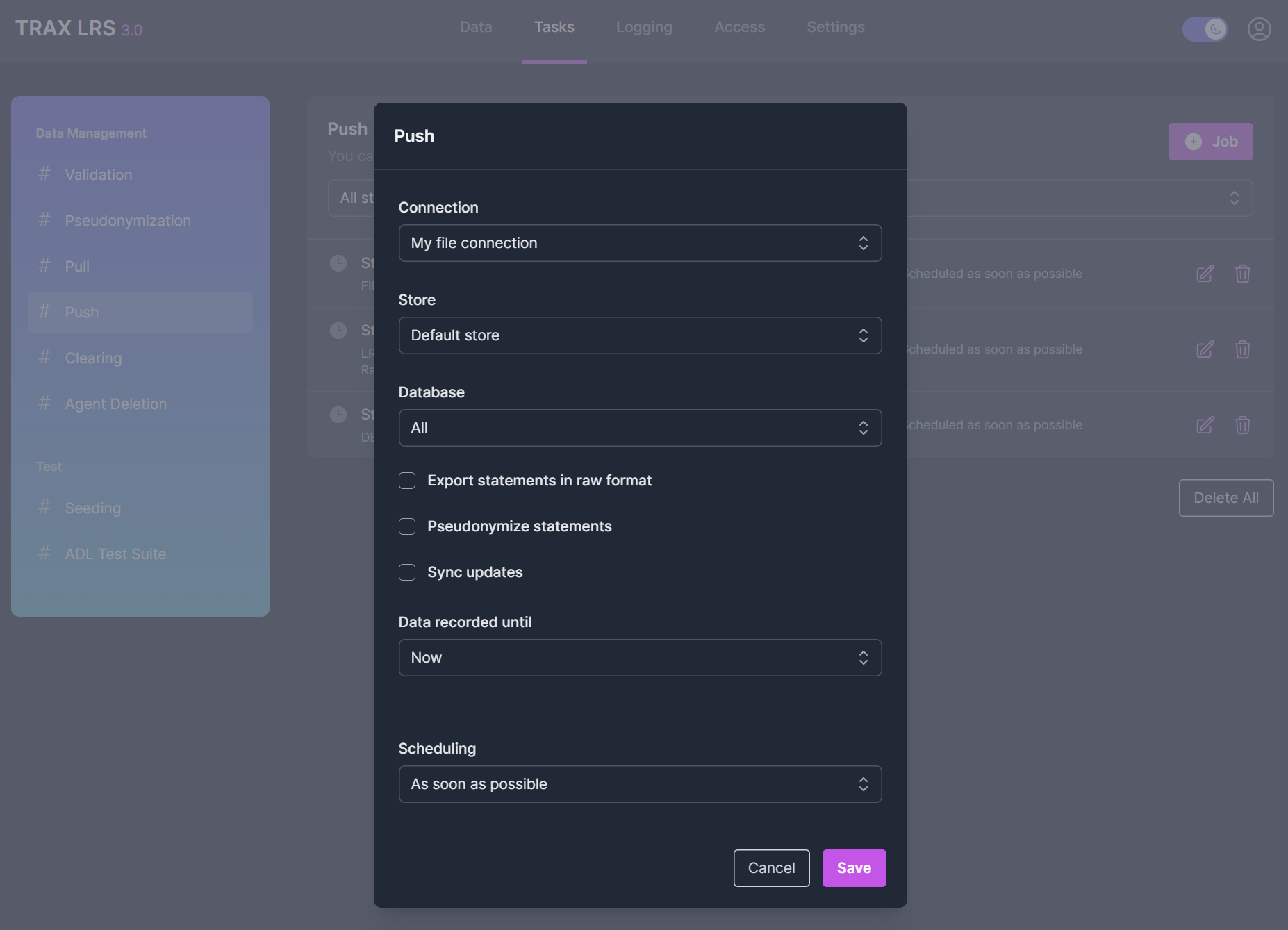
From the Tasks > Push page, you can create a Push to files job for each store and each type of xAPI data.
Several options are available:
-
Export statements in raw format- By default, all the database columns are exported. Check this option if you want to export only the statements from the statements table. -
Pseudonymize statements- Check this option if you don't want to reveal the agents in the exported statements. -
Sync updates- Check this option if you want to re-export activities, agents, profiles and states when a change occurs.
Pushing to an LRS
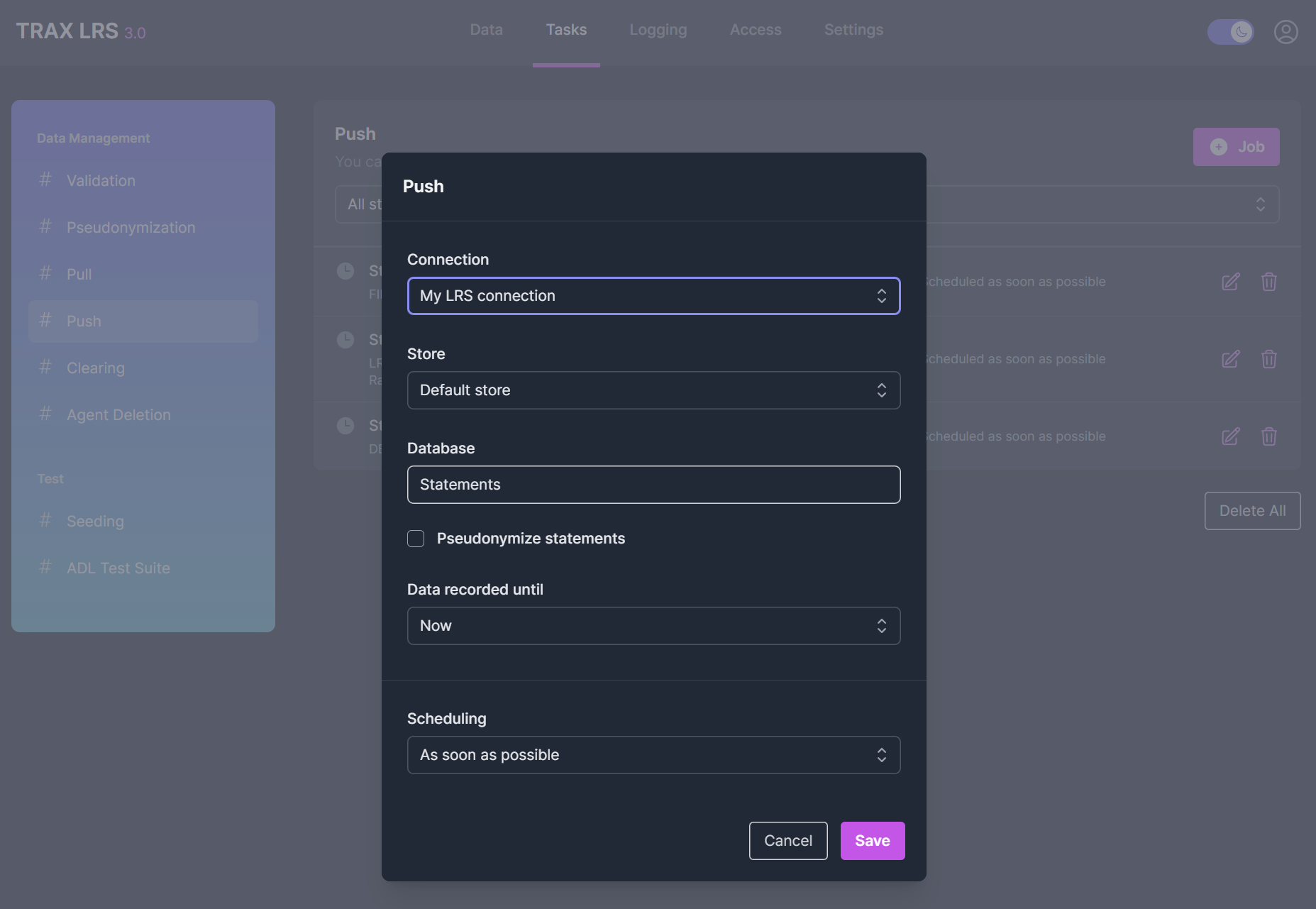
From the Tasks > Push page, you can create a Push to an LRS job. It will only apply to statements.
A single option is available:
Pseudonymize statements- Check this option if you don't want to reveal the agents in the exported statements.
Pushing to a database
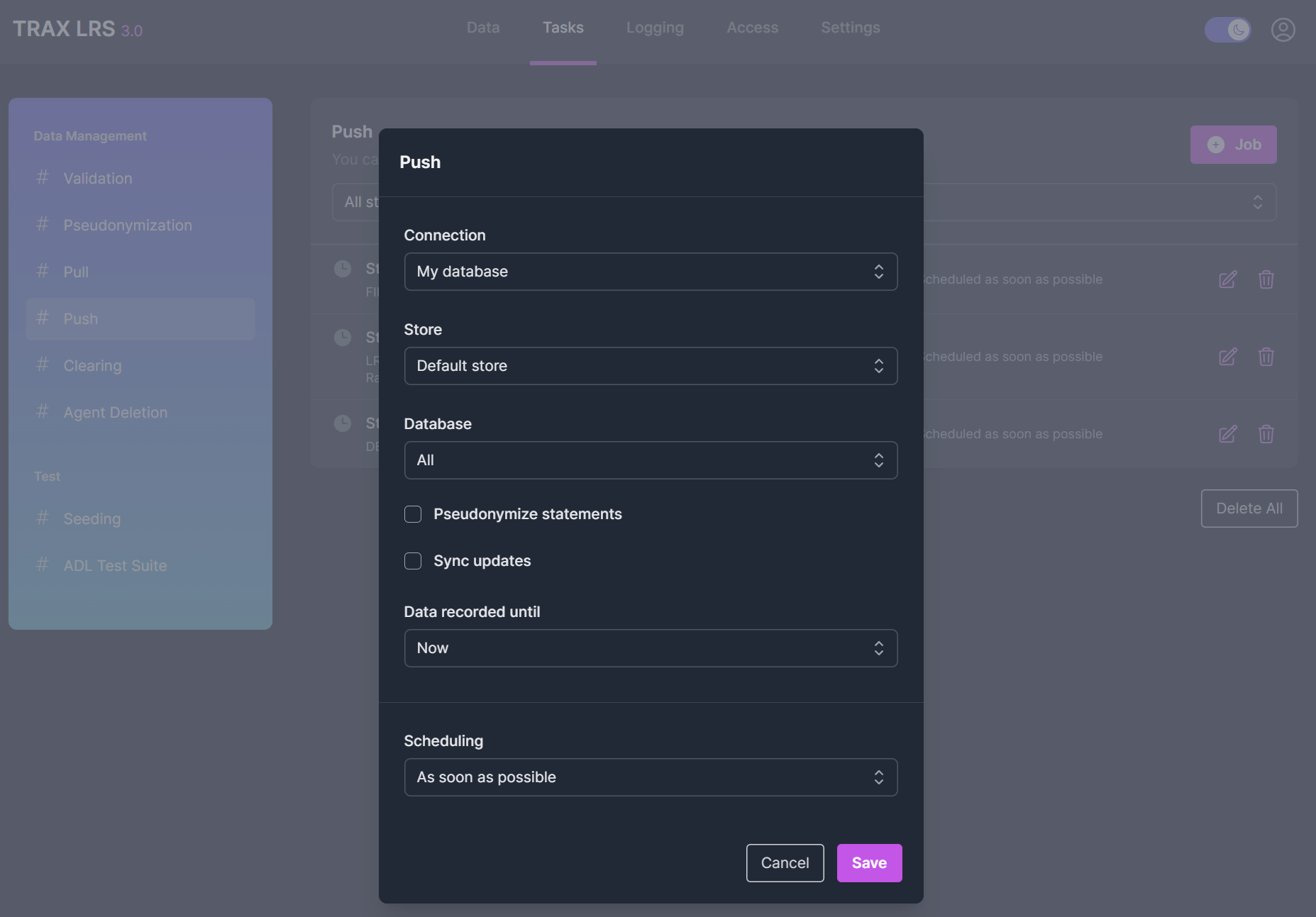
From the Tasks > Push page, you can create a Push to a database job for each store and each type of xAPI data.
Several options are available:
-
Pseudonymize statements- Check this option if you don't want to reveal the agents in the exported statements. -
Sync updates- Check this option if you want to re-export activities, agents, profiles and states when a change occurs.
Managing push jobs
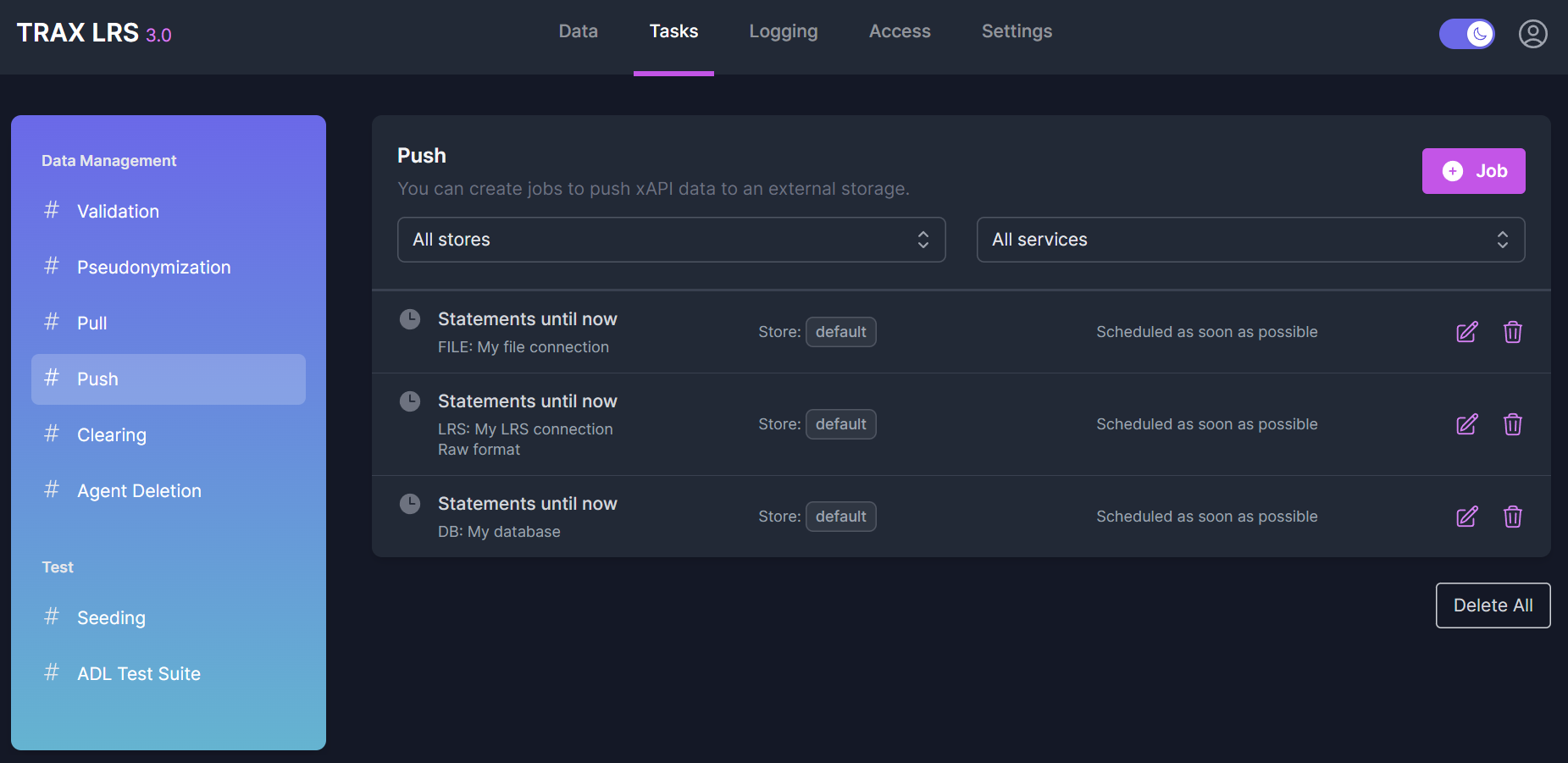
From the Tasks > Push page, you can see all the push jobs, their status and their scheduling.
You can modify, replay or delete these jobs.